Rider Resources

Bicycles on The Rapid

Image
Bike


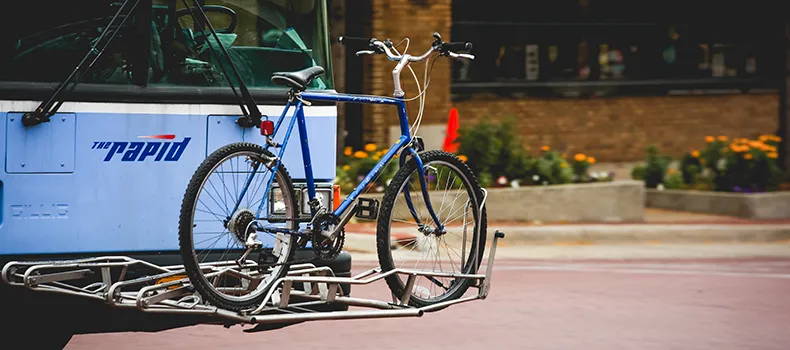
All buses in The Rapid system are equipped with either a double-loading or triple-loading bike rack that fit most two-wheeled bicycles, including children's bikes.


How to use the bike racks

  • Before loading your bike, be sure all loose items are secured or removed.
  • When the bus stops, walk your bike to the front of the bus, keeping a safe distance from traffic.
  • Lift the handle to release the rack and lower it into the down position. Listen for the click to make sure it locks in place.
  • Place the front tire of your bike in the position marked "FRONT TIRE" and slide your rear tire into the back slot.
  • Lift the spring-loaded arm over the front tire — your bike is now loaded and you can board the bus as normal.
  • To unload your bike at your stop, reverse the directions above. Remember to release the spring-loaded arm before removal.
  • Return rack to its upright position and be sure it locks.
  • Watch our bike rack video here. 


Rules to Remember

  • You are responsible for loading and unloading your own bike. The drivers are not able to assist you.
  • There is no additional fare for using the racks.
  • If you are the first bike on the bus, please use the inner rack (the one closest to the front of the bus).
  • The Rapid is not liable for any damage caused to bikes or bike accessories that are transported.
  • Bikes left on the bus and not reclaimed within 10 days will be donated to local charities.